Executive intro
A strong company opening with trust, services, and contact clarity.
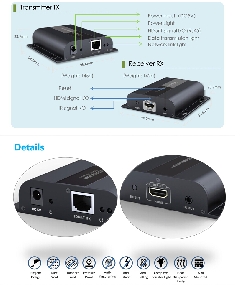
HD383 HDbitT HDMI Extender deliver Full HD 1080P HDMI signal up to 120m, this hdmi extender supports extend and split by network devices, compatiable with existing network, and int
A strong company opening with trust, services, and contact clarity.
Offerings are grouped for quick buyer understanding.
Every important section points visitors toward direct enquiry.
Address, phone, map, and review signals support confidence.
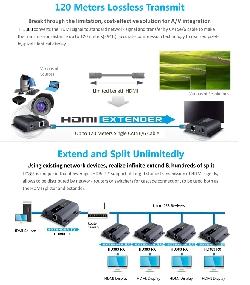
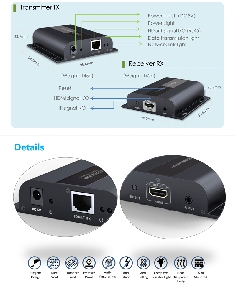
HD383 HDbitT HDMI Extender deliver Full HD 1080P HDMI signal up to 120m, this hdmi extender supports extend and split by network devices, compatiable with existing network, and intellagent auto adjustment to match cable length, IR signal transmission for control the source device.
Feature:
Resolutions: 480i@60Hz, 480p@60Hz, 576i@50Hz, 576p@50Hz, 720p@50/60Hz, 1080i@50/60Hz, 1080p@50/60Hz
Network Cable: UTP/STP Cat5/5e/6
Transmission distance: Up to 120 meters transmission distance for 1080p Full HD over single network cable
IR signal: Supports 20~60KHz IR devices
Working Temperature: 0℃~60℃
Power Supply: DC5V/1A
Power Consumption: TX: 3.5W; RX: 3W
FAQ:
Q: TV display “Waiting for connection” on the right corner?
A: Please check if the power supply of TX (Sender) and switcher(if used) is connected, and make sure connecting cable is firmly;
Q: TV display “Please check the TX input signal”?
A:
1) please check if there is a HDMI signal input of TX;
2) Try to connect the signal source directly to display device to see if there is signal output from source device, or change the signal source, HDMI wire and try again.
Q: Display not fluent, not stable?
A:
1) Please check the cable length between the TX to switch, the switch to the RX and the connection between each level is within the required range;
2) Click the "reset" button on the TX/RX front panel, reset and reconnect.
Youtube video:
http://youtu.be/AMjFSrsm89w
Detail:
http://www.hdgenius.net/HD383-HDbitT-HDMI-Network-Extender-Signal-up-to-120m_p1039.html
Telephone: (408)837-7101
Fax: (408)332-5449
Email: sales@hdgenius.net
Website: www.hdgenius.net
Send an inquiry and the business will get back to you with details.